Privacy is power: has your system been left unwrapped?
Two lollipops illustrate a software decision: protecting data starts with collection, permissions, and disposal. Real experiences, OWASP, and MITRE.
Voices depend on your browser and device; some require internet access. Code blocks are not read aloud.


Two lollipops that look much the same. One is wrapped. The other is uncovered, with flies on its surface. The difference is obvious: there is a barrier between something valuable and the environment around it.
The phrase that goes with this idea is straightforward: privacy is power.
When I apply that image to software development, I think of forms, résumés, photos, registration details, credentials, and customer information. Everything someone hands over to an application because they need to get something done.
The problem is that, in software, the wrapper does not show up in the screenshot.
A beautiful dashboard can conceal poorly defined permissions. A login screen can exist without adequately protecting the data. A button labeled “delete” can remove one record while leaving copies scattered elsewhere. That is why privacy needs to be part of the design from the start.
The power to set boundaries
Think about your address. You may provide it to receive a parcel without wanting it to become available to every visitor to a website. You may submit a résumé to a company without wanting your employment history to become a database used for purposes you know nothing about.
Context changes what sharing means.
To me, talking about privacy means discussing those boundaries: what information is necessary, for what purpose, who may use it, and for how long. People need to understand what happens to their data; those building the service need to be able to explain and uphold those choices.
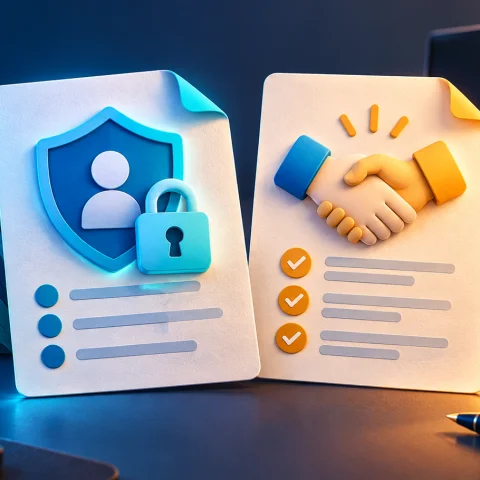
Article 6 of Brazil’s General Data Protection Law, the LGPD, sets out principles including purpose, necessity, transparency, and security. Article 46 also requires protective measures from the design stage of a product or service.
That has a practical consequence: you can protect a database very well and still collect too much information. Security and privacy need to work together.
The screen looked great. The password was “admin123”
While helping with projects, I have come across a situation whose logic could be summed up like this:
if password == "admin123", then administrator
That was what determined administrative access.
Discoveries like this explain why I insist on looking beyond the interface. An application can appear ready while a crucial decision rests on a credential hardcoded into the software.
MITRE CWE-798 describes precisely this use of hardcoded credentials. Giving the weakness a technical name helps us recognize it and discuss its correction accurately.
And replacing that password with an enormous passphrase does not, by itself, fix the access control design. We need to identify users, protect authentication, and establish which operations each identity may perform.
I have compared this scenario to replacing Captain America’s shield with a tissue-paper kite: beautiful and carefully made, but unsuitable for the job.
This applies to software produced with or without artificial intelligence. The responsibility to verify the result remains.
People who are learning need guidance to recognize these layers. Once a project starts receiving other people’s data, reviewing those decisions becomes part of delivering it.
The résumé that does not need to become a database
One decision I recently discussed for Pinheiral Digital was a proposed public résumé builder: people fill in their details, create the document, and download it to their own device, without needing to log in and without the intention of storing their résumé in the service.
The project’s purpose is to help someone produce a useful file.
From there, it makes sense to ask whether keeping a collection of résumés on the server would add anything necessary to that outcome. Every piece of stored information brings additional tasks: controlling access, defining retention, responding to requests, and managing copies.
OWASP’s Cryptographic Storage Cheat Sheet recommends avoiding the storage of sensitive information whenever possible. That guidance fits this design very well.
In some projects, a good protective measure is to avoid creating an unnecessary collection of data.
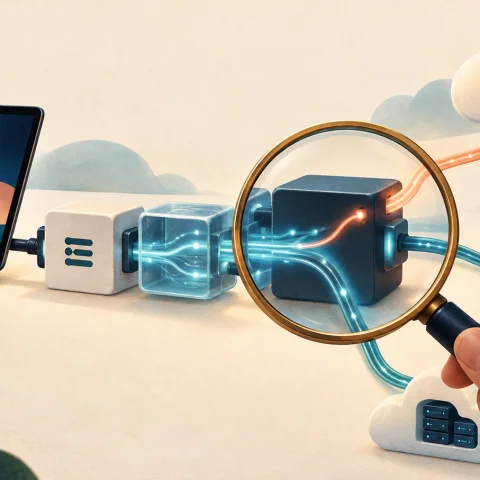
There is a difference, however, between intending “not to store” information and implementing that promise. If form fields pass through the server, appear in error logs, or are captured by an analytics tool, the information has already traveled along other paths.
An architecture that generates the file in the browser therefore also needs to examine third-party scripts, telemetry, and network requests. Filling in the form locally only fulfills the proposal if the rest of the application respects that decision.
This example remains a design choice I have been discussing. It shows how privacy can guide the architecture before the first database table even exists.
Keeping data forever is a decision too
In another project discussion, involving photographs in a reception workflow, we initially worked with a proposed retention period of 90 days. The advice we received through consulting with Sebrae was to reduce that period to 60 days.
The lesson was to review the need to keep the data and put a concrete limit on it.
That period belonged to that particular context. Sixty days is not a general rule under the LGPD: the appropriate period depends on the purpose, applicable obligations, and the justification for retaining the information.
The decision also needs to become part of how the system behaves. A policy may promise disposal, but the process must cover the relevant copies and establish how to handle backups, exports, and any applicable duties to preserve records.
OWASP’s guidance on logging addresses retention and disposal, as well as warning against directly recording passwords, tokens, and sensitive personal information.
It is easy to take care of the main records and forget the debug file. Privacy also lives in these less photogenic places.
The “wrapper” needs to work on every request
In my work with Oombe and marketplace integrations, the context of each account is part of the problem we need to solve. An action involves a seller, a connected account, particular data, and permissions.
As an example, imagine two businesses using the same service. A user from one should not be able to view the other’s order simply because they are authenticated.
This is where the distinction matters: authentication identifies who has signed in; authorization determines what that person may do.
OWASP recommends granting the minimum necessary privileges, denying access by default, and checking permissions on every request. Those decisions need to happen in a trusted layer of the system.
Hiding a button in the browser helps organize the user experience. Real protection also requires preventing the corresponding operation when the request reaches the application.
The same reasoning applies to documents, images, and reports. If a file is private, the route used to download it needs to respect that condition.
For services with multiple accounts, testing that separation should be part of the delivery. An authorized test using two demo accounts helps check whether the boundaries defined actually exist.
Passwords, secrets, and the file left exposed
Another example I have discussed involves credentials written directly into the code and .env files made accessible on the web.
An .env file can be part of an application’s configuration. Its protection depends on how it is stored, who can read it, and what the server makes public.
OWASP’s guidance on secrets management calls for restricted access and care throughout the credentials’ lifecycle. If a key has been exposed, taking the file offline needs to be accompanied by revoking or replacing the compromised secret. Copies already obtained will not disappear out of politeness.
User passwords require a different kind of care. To verify them during authentication, OWASP recommends dedicated password hashing functions, such as Argon2id, with a salt. Keeping a password in plain text or simply applying reversible encryption does not provide the recommended protection for this purpose.
These are related but different problems: an integration credential needs to be managed as a secret; a login password needs appropriate storage for verification.
A beautiful interface cannot compensate for either of these choices.
OWASP and MITRE help us ask better questions
I like these references because they allow us to move beyond “I think it’s secure” and discuss verifiable criteria.
The OWASP Top 10:2025 presents significant risks affecting web applications. For more detailed verification, the OWASP ASVS brings together security requirements that can guide development, review, and procurement.
Within MITRE’s work, it is worth distinguishing two references:
| Reference | How it helps |
|---|---|
| CWE | Describes types of software and hardware weakness. |
| ATT&CK | Helps explain adversary tactics and techniques through observed behavior. |
Alongside hardcoded credentials, CWE-862 covers missing authorization. CWE-359 describes the exposure of private personal information to those who should not receive it.
ATT&CK, meanwhile, helps us consider an attacker’s behavior and the connections between different stages of an attack.
These references support the technical work. Evidence that a product is protected needs to show up in its design, implementation, testing, and operation.
For those commissioning a system, this also changes the conversation: it is worth asking for demonstrations of access controls, data protection, and the planned disposal process. The answer needs to go beyond “it has a login.”
What happens when artificial intelligence enters the picture?
AI can help review a form, explain an authorization rule, or suggest test scenarios. In my view, using it also requires paying attention to the material we give it.
Before pasting a spreadsheet, a résumé, or a service record into a tool, we should check which data the task requires and what conditions apply to that service.
Often, a fictional example preserves the structure of the problem. To review a function that formats a CPF, Brazil’s individual taxpayer ID, for example, we need to understand the format and rules; a list of citizens’ actual ID numbers adds avoidable exposure.
During development, we can ask AI to explain where a permission is checked, which fields end up in logs, and how deletion moves through the application. Those answers help guide the review, but they need to be checked.
I like the speed these tools offer. I want that speed to come with the ability to understand what we are putting into operation.
The person using the service will entrust their data to the result of that combination.
Six questions before putting a system online
To turn this discussion into concrete work, I would start with these questions:
- Do we need every piece of information we request? Each field should have an understandable purpose and a justifiable need.
- Who can access each piece of information? Check permissions by user, role, account, and resource.
- Where does the data travel? Include APIs, analytics tools, AI services, logs, and exports.
- How long do we need to keep it? Define retention, disposal, and exceptions justified by operations or applicable obligations.
- What proves the controls work? Review configuration, code, and authorized tests, including attempts to access data across demo accounts.
- Who responds when something unexpected happens? Assign responsibility and define a process to investigate problems, contain exposure, and assist affected people.
These questions apply to a small form and can become more detailed as a service grows in complexity. The level of care needs to reflect the data and risks involved.
Which brings me back to the lollipops.
The wrapper makes a visible difference. In software, we need to create that difference through choices that do not always appear in the sales presentation: collecting less, limiting access, protecting credentials, and honoring retention periods.
Privacy is power because it establishes boundaries around how information about us is used.
For developers, that means recognizing the responsibility that comes with every registration. Someone came to solve a problem. It is our job to deliver a solution that deserves their trust.