You Told Claude Your Password. Who Else Found Out?
Credentials saved by Claude Code ended up in public repositories. The case offers a practical lesson in handling passwords and API keys when working with Codex, Claude and other coding assistants.
Voices depend on your browser and device; some require internet access. Code blocks are not read aloud.
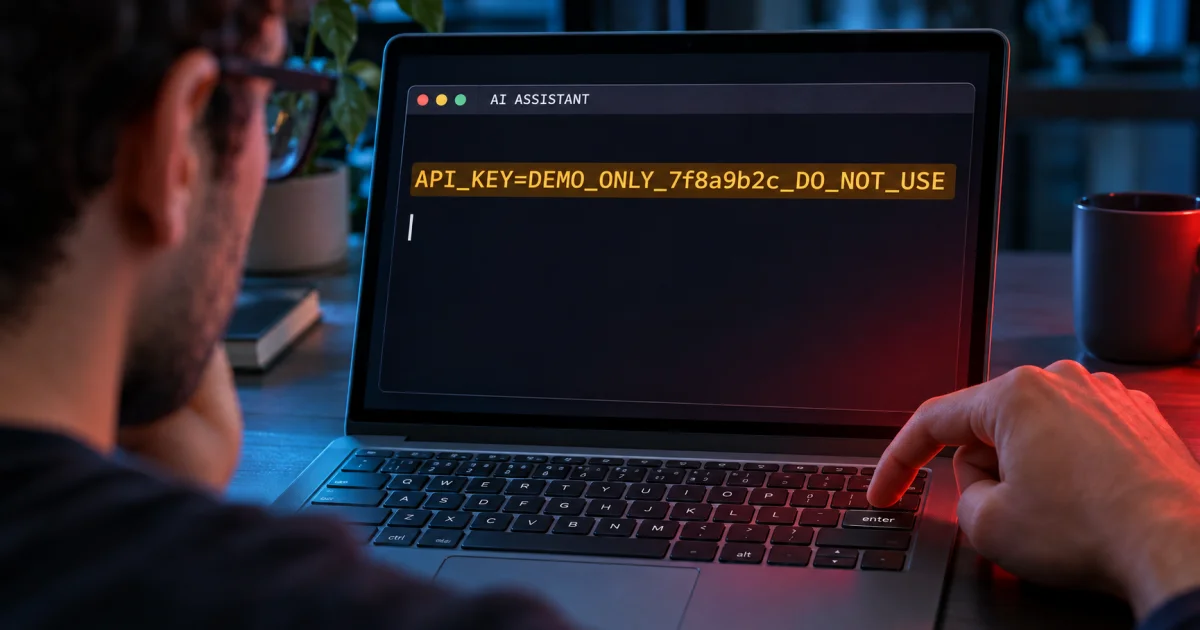
You are trying to fix an error. The integration will not authenticate, the database refuses the connection, and that fifteen-minute task has already taken over a sizable chunk of your afternoon. So you open your coding assistant and send something like this:
“I'm getting an error. Here are the URL, username and key. Can you test it for me?”
It is a hypothetical scene, but an easy one to recognize. The AI receives the context, proposes a command, and the conversation moves forward. When an option to stop asking for permission appears, the desire to save time does the rest.
Now imagine discovering that a copy of the credential ended up in a configuration file, and that file made it into your public repository. You meant to fix a connection. You ended up handing out the ticket to get in.
The recent Claude Code case deserves attention precisely because of that gap between the developer's intention and where the secret ends up. Pasting a password into a conversation does not automatically publish it on GitHub. Still, we need to understand which systems receive it, where it may be recorded, and what we do with the files produced afterward.
This matters to anyone using Codex, Cursor, Copilot or another code generator, too. Different tools need their own assessment; the habit of granting access without following the credential's path is a shared concern.
The click that dismissed the prompt and saved the password
Claude Code can record standing approvals as rules in .claude/settings.local.json. Anthropic's documentation confirms that persistence and explains that the file is added to the user's global Git exclusions when the program creates it inside a repository. Settings documentation.
The problem arises when an approval saves a literal command that already contains a password or token. The credential can remain inside the very rule that authorizes running the command again. A user described exactly this behavior in issue #5544, opened in August 2025.
Think of an entry permit that, alongside “access granted,” also keeps a copy of the key. The document looks administrative. Its contents can open the door.
On November 5, 2026, Apiiro published a study: 1,122 public copies of the local settings file contained 1,379 distinct secrets; including history and other records, the total reached 2,539 across 1,994 repositories. The credentials were not tested; one organization confirmed that its key had been active. Identified exposure does not establish a breach. Original research.
One technical condition is crucial: the file has to reach an accessible location for the exposure to spread. Git makes clear that ignore rules do not stop tracking files already under version control. A global setting on one person's machine also does not automatically follow someone else's copy of the project. Git reference.
In my view, the product needs to make this effect understandable and reduce the chance of recording secrets. Developers also need to review what they put under version control. A discreet warning and the hope that someone notices the problem make for a fragile defense.
This issue had already come knocking
In February 2026, ironPeak reported finding commands with passwords and keys in its own version-controlled permissions file. In April, CISO Advisor covered Check Point/Lakera research about the same file being distributed inside npm packages. ironPeak's account and the article in Portuguese.
These reports have different scopes, and their figures should not be added together. Taken together, they show why it is worth looking beyond today's headline: a file that is useful during development can travel with a release without anyone having decided to publish what is inside it.
The history also needs to be interpreted correctly: a bot closed the 2025 issue in January 2026 because of inactivity. That does not document a fix. As of my November 7 review, I had not found an announced fixed version for this specific mechanism in the sources examined. Issue history.
Four questions before calling it a leak
Talking broadly about “sending your password to AI” hides different situations. I would break the analysis down like this:
| Question | What needs to be checked |
|---|---|
| Who received it? | Did the model provider, a tool, a connector or an authorized process receive the value? |
| Where was a copy kept? | In a conversation, log, configuration, command, report or working file? |
| What can it be used for? | Performing the task, security, support, model improvement or another stated purpose? |
| Who can access it afterward? | Only authorized people, a wider team, or any visitor to a public repository? |
This is a way to organize a review, not a claim that every tool does all these things. OWASP includes credentials among the sensitive information that requires minimization and access controls in applications using language models. OWASP reference.
An authorized submission to a service and a public disclosure have different consequences. Likewise, removing a message from the screen does not demonstrate that every copy has disappeared. The analysis needs to follow the actual flow, without turning every use of AI into an incident or treating every private history as a vault.
The terminal is on your machine. What about the model?
A terminal window feels familiar. It seems to sit entirely inside your computer, alongside the files you have always used. But where a command executes and where the model processes its context are separate choices.
Anthropic states that local Claude Code sends data over the network to interact with the model. In the Codex documentation, OpenAI also distinguishes the network controls for commands from the requests the client makes to the model. Running locally does not mean running entirely offline. Claude Code's data flow and OpenAI agent security.
That does not mean the agent transmits every file on the computer, either. What enters the context depends on the product, task, tools and permissions. The precaution is to check those conditions before making a directory full of credentials available.
The specific .claude/settings.local.json mechanism belongs to the Claude Code case. It does not demonstrate that Codex or another product reproduces the same flaw. The lesson that applies across tools is to examine the access granted and the records produced, without automatically choosing one brand to blame or another to absolve.
“We don't use it for training” answers one question
Terms vary by service and access arrangement. Anthropic states that commercial inputs and outputs are not used for training by default, with exceptions such as permission and certain feedback submissions. Personal accounts have their own controls and conditions. Commercial policy and consumer policy.
OpenAI also distinguishes personal accounts, business workspaces and the API. Its documentation states that business products and the API are not used for training by default, while personal use depends on the applicable controls. Codex and access arrangements.
Training, processing and retention are separate questions. The OpenAI API, for example, documents monitoring logs and storage associated with certain features despite its no-training-by-default policy. Retention periods and exceptions depend on the configuration and feature. API data controls.
The practical consequence is simple: check the policy for the account you actually use, its data settings and the behavior of the features you enable. Favorable contractual terms about training do not prevent you from including a password in a commit, report or screenshot. These controls address different problems.
If an institution has purchased a business offering, using a separate personal account does not automatically inherit those terms. The analysis starts with the actual account and environment, not the name of the installed application.
Does the AI need your password to write the code?
For many tasks, it does not. To build an integration, explain authentication or review error handling, we can usually provide documentation, data structures and fictitious examples.
A better request would be:
“The application receives
API_TOKENthrough the environment. Use fictitious values in examples, do not print credentials, and prepare tests with simulated responses. I will configure the real values in the appropriate environment.”
If you ask for help understanding an error, keep the useful information: the status code, a sanitized message, the attempted operation and the expected format. Remove the token, password, session cookies and any personal data that is not needed. OWASP also recommends reducing the sensitive information supplied to the model. Sensitive information disclosure.
There is a difference between explaining how a lock works and handing over your house key to illustrate the question. An example can be technically accurate without granting real access.
It is also worth getting the terminology right. A long string of characters does not become protected because it looks like a “hash.” If that value authenticates an operation, it must be treated as a credential. Some keys are designed to be publishable, such as Stripe's publishable keys; their purpose and powers differ from those of secret keys. You need to check the type. Stripe key types.
The .env helps. It does not disappear
Keeping configuration outside the code is useful, but the name .env does not impose a read restriction by itself. If the agent can open the file, read the environment or run a program that prints its values, the credential remains within reach of that execution.
Here is an entirely fictitious example:
API_TOKEN=TOKEN_FICTICIO minha-ferramenta
The assignment is written into the command itself. Replacing the placeholder with a real key would put that key inside text that could be recorded. Having the application receive its configuration through a dedicated mechanism reduces this kind of copy, but also requires checking who can inspect the environment.
OpenAI's security documentation is explicit: secrets injected into variables remain accessible to the agent's code. Where possible, it recommends keeping the credential outside that environment and brokering access through controlled tools or services. Agent environment security.
My preference is for an authorized tool to test the connection and return only the result needed: the environment checked, success or a sanitized error. The model can explain “connection refused” without receiving the password used. That separation only works if it has no other way to read the secret or expand its permissions.
When the task really does need to access the system
Some tasks require an authenticated operation. The answer does not have to be handing over production's permanent master key.
OWASP recommends least privilege, secret lifecycle management and short-lived credentials where possible. Secrets management.
In practice, I would start with the development environment and fictitious data. If read access is enough, I would grant read access. If the test lasts an hour, I would look for a credential with a suitable expiry, depending on what the service supports. The key should be dedicated to that purpose, so revoking it does not interrupt a collection of systems unrelated to the task.
I would also avoid opening up my entire home directory to solve a problem that fits inside one project. Access should match the work required. It is much easier to review a small environment prepared for the task than to remember every sensitive item scattered across a machine used for years.
A sandbox helps enforce limits, but you need to understand its scope. In Claude Code, the shell sandbox does not automatically cover every file tool, hook and MCP server. The configuration and execution paths need to be assessed. Sandbox documentation.
Writing “don't reveal my passwords” can guide the agent. To protect a value it should not know, I prefer a barrier that prevents access. Trust and instructions become more useful when backed by verifiable limits.
GitHub is only one way out
Before a commit, review new files, configurations and the contents staged for submission. For Claude Code's local file, run this check from the repository root to see whether it is tracked without printing its contents:
git ls-files -- .claude/settings.local.json
After addressing any exposure, removing it from the index and recording the exclusion in the project helps prevent new commits. This preserves the local file and does not clean up earlier versions. How Git handles exclusions.
Packaging deserves its own review. In npm, the files property lets you define what will be distributed. In Docker, .dockerignore controls what enters the build context. A Git rule does not replace checking those destinations. npm package files and Docker build context.
Also consider the ZIP sent to a client, the execution report and the conversation exported to ask for help. These are examples of deliverables I would review before sharing. A file being produced by a development tool does not mean all its contents belong in the delivery.
I would include scanners in this workflow to make the checks repeatable. I would also review the files and the deliverable prepared for sharing; the decision to release it needs to take all those checks into account. Secrets management best practices.
I already sent a credential. What now?
First, identify the value, service and extent of sharing. Was it supplied to an authorized environment? Did it remain in a shared conversation? Did it enter a public file? Does a history or package contain the same information? Those answers guide the response to the specific case.
If there was unauthorized exposure, the priority is to revoke or replace the credential. GitHub recommends dealing with the secret before cleaning up the repository. Deleting a file does not undo what others may have copied. Removing sensitive data from repositories.
Plan the replacement in the services that depend on it, reducing the exposure window; when misuse is active, blocking access may be urgent. Examine the available access and usage records for unexpected operations. Clean up the identified locations and fix the process that produced the copy. Rewriting history requires care and coordination with the people using the repository.
If the submission occurred only to an authorized service, that does not establish public disclosure. It is still worth reviewing whether the credential needed to be there and applying the organization's policy. Where there is material uncertainty about a privileged key, replacing it may be more prudent than trying to prove nobody will gain access.
Avoid spreading the problem during the investigation: do not paste the key into a public issue, a new chat or a screenshot. Use provider identifiers or masked references that are sufficient to locate the credential without revealing its value. The review should reduce the number of copies.
Moving faster also means knowing what to hand over
I want AI to help write code, investigate errors and get projects off the ground. That capability is valuable. Precisely because of that, we need to build a routine in which asking for help does not mean offering unrestricted access for convenience.
A good workflow lets you explain the problem with examples, perform what is necessary with limited access, and deliver a result that can be reviewed. The fewer places the secret appears, the fewer places we will need to investigate when something unexpected happens.
That pause before Enter can be brief: does the model need to know the value, or only understand how my system uses it? Does the tool need production, or a test environment? Does the file that just appeared really belong in the commit?
These are small questions compared with the work an exposed credential can create.
The next time your message starts with “here's my password, fix it for me,” it is worth rephrasing the request.
Provide enough context to solve the problem. Grant only the access needed to perform the task.
Technical analysis article. Sources and documentation consulted on November 7, 2026. The examples and the credential in the image are fictitious. Data policies and security features may change; check the documentation for the offering you use.